For parents
You’ll always know where they’re up to
Empirio shows you what your child has actually mastered, not just how long they were on a screen. And it tells you the one thing to do next.
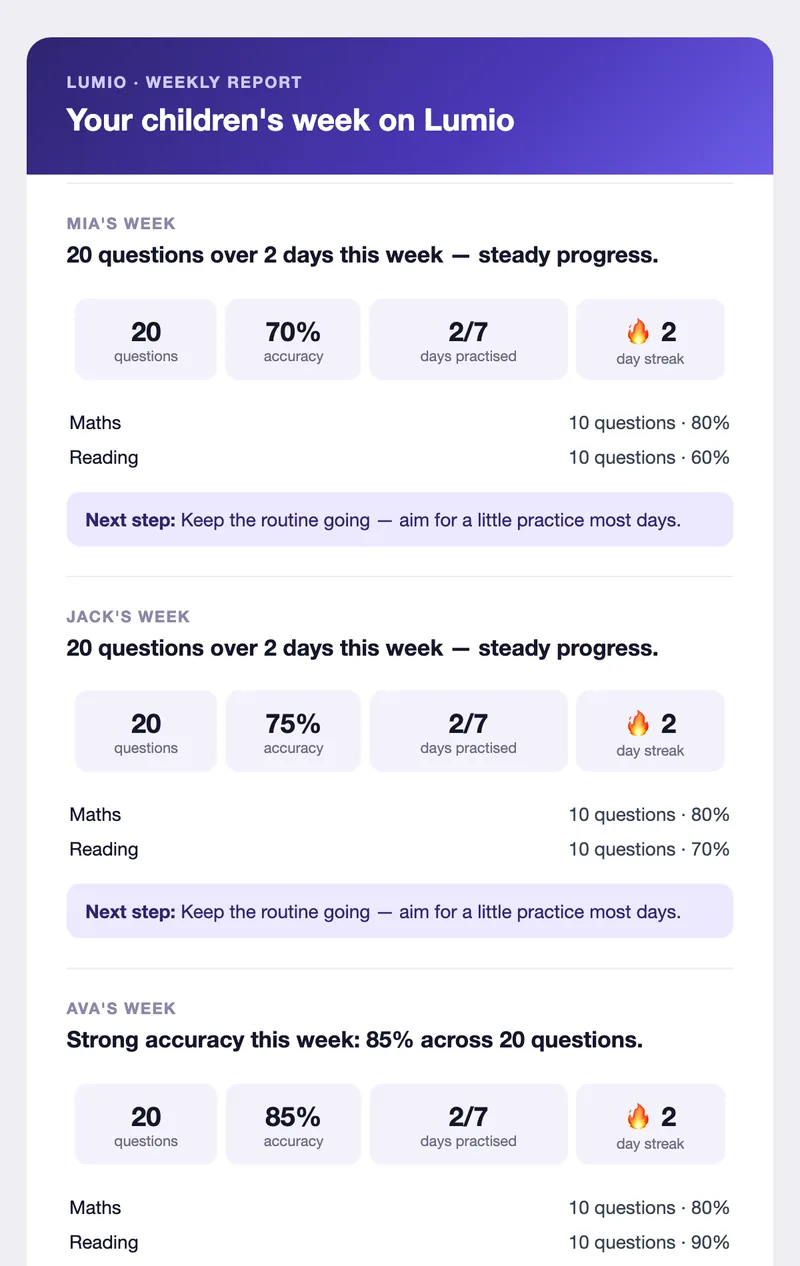
A report in your inbox every Sunday
Every Sunday evening you get one short email with each child’s week, written so you can read it in a minute.
- The numbers that matter: questions answered, accuracy, days practised and their streak.
- Subject by subject, with how each one changed since last week.
- What to practise: the topics that need another look, and mistakes waiting in Glow Up.
- One next step, so you know exactly what to suggest at dinner.
One email a week. Unsubscribe with one click from any email.
Year 8 Science
SecureFocus next
Progress by syllabus point, not by minutes
The parent area breaks every subject into the points the syllabus actually lists, and shows which ones your child has mastered.
- Mastery for every subject: lessons finished and syllabus points mastered.
- Focus areas: the topics that need another look, one tap from the lesson.
- Reviews due: ideas coming back for their 2, 7, 21 or 60-day check.
- Practice results: accuracy by subject and topic, so you can see strengths and gaps.
Built in
Everything that helps it stick
Glow Up
Every wrong answer is saved. Your child fixes it, then proves it again on later days until it shines. You can see how many mistakes they’ve turned into strengths.
Lumi, the tutor
Beside every lesson, Lumi answers questions by voice or text and explains ideas in different ways until they make sense.
Spaced reviews
Ideas come back at the right moments, 2, 7, 21 and 60 days after they are mastered, so they are still there at exam time.
Every child separate
On the Family plan, up to three children each have their own year level, lessons, Glow Up and report.
Any device
Phone, tablet or laptop, in the browser, with nothing to install. Progress is saved to your account.
Short, clear sessions
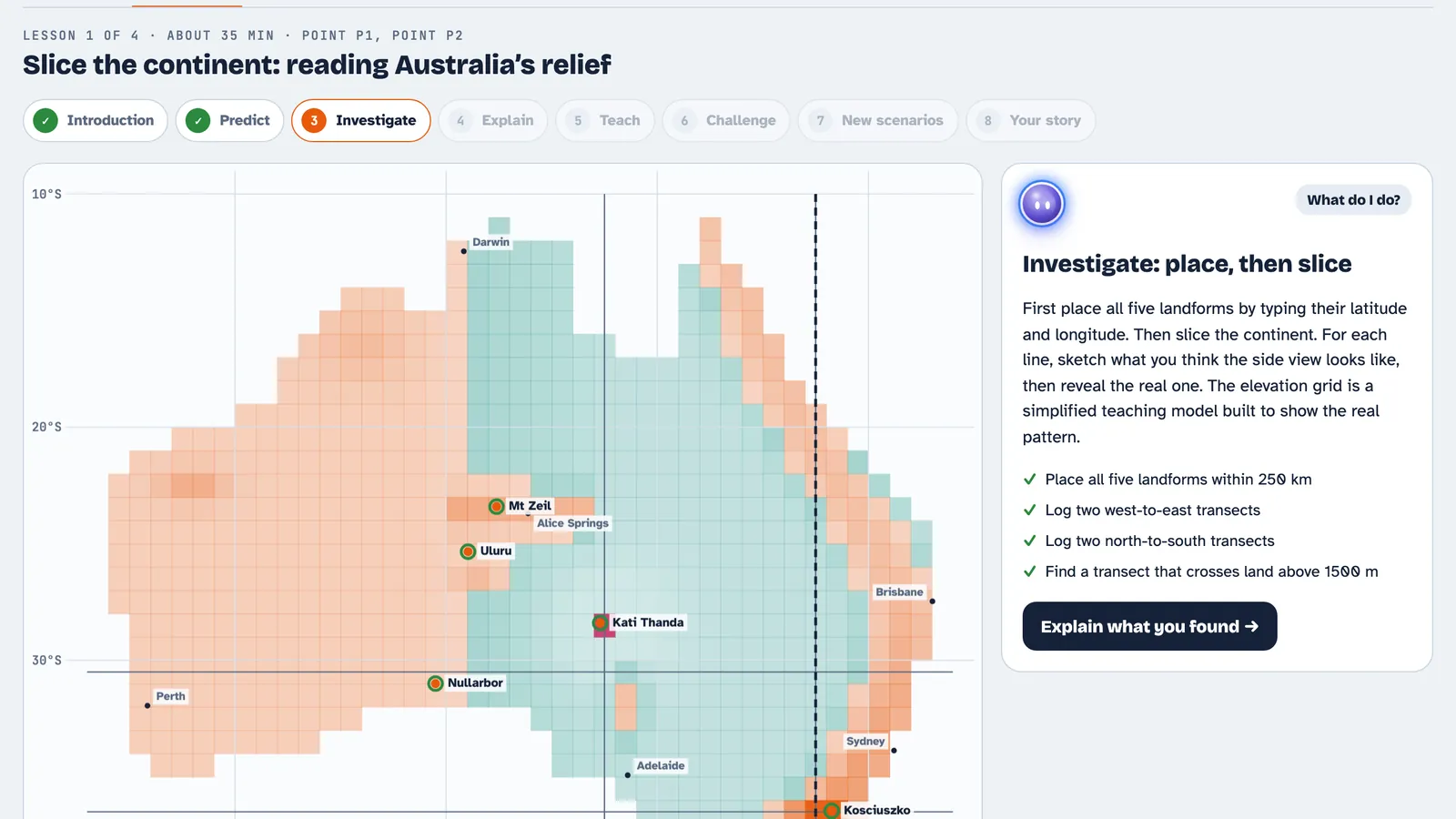
A lesson takes about 35 minutes and can be paused at any step, so it fits around school, sport and dinner.
Every fact has a source you can open
Dates, figures and quotes in Empirio come from places like the Australian Bureau of Statistics, NASA, the Australian War Memorial, AIATSIS and the National Archives of Australia.
- A Sources page in every topic lists where each fact comes from.
- Every topic shows the curriculum description it teaches, for the Australian Curriculum, NSW or VCE.
- Made-up examples are labelled as models, so your child knows what is real data and what is a teaching example.
- Tested before it goes live: every answer key is checked automatically and every lesson is played through on a phone and a laptop.
Safe by design
A calm place to learn
No ads, ever
Empirio is paid for by families. There are no ads, no sponsored content and no in-app purchases.
The parent holds the account
You sign up, add your children and choose the plan. Your child just learns.
Learning, not scrolling
No feeds, no chat with strangers and no endless videos. Every screen has one job: help your child think it through.
Questions
What parents ask us
How much time should my child spend on Empirio?
A lesson takes about 35 minutes. Three or four sessions a week is plenty for steady progress, and the weekly report shows you how it’s going.
Can I see my child’s work?
Yes. The parent area shows lessons finished, syllabus points mastered, focus areas, reviews due and practice results, for each child.
Does Empirio replace school or a tutor?
Empirio follows the same curriculum as school, so it works alongside it: to catch up, to get ahead, or to revise before a test.
What if my child gets stuck?
Every step has a “What do I do?” button and hints, and Lumi can explain the idea in a different way. Wrong answers get feedback that names the exact mistake.
Can I stop the weekly emails?
Yes, with one click from the bottom of any email. You can still see each week in the parent area.
Try it with your child this week
Seven days free, no card needed. Your first weekly report arrives on Sunday.